

Web portal
UUM Today News Portal
Your reliable digital information hub for campus stories.
A university news portal for publishing campus stories, managing editorial workflows, hosting live media, promoting events, and engaging readers.
Best Website Angle
A university media portal for official news, event promotion, live media, and editorial control.
Purpose
UUM Today is a digital news portal for publishing university news, research stories, student life updates, events, videos, live coverage, and public announcements in one organized platform.
Value
The portal strengthens university communication by giving readers a central place to discover official stories while giving editors structured tools for content creation, approval, publishing, engagement, event promotion, and analytics.
System Explanation
The portal includes a public homepage, article management, role-based editorial workflows, reader engagement tools, live media, event management, and an admin dashboard.
Key Website Highlights
What this system includes.
Homepage and public portal with navigation, categories, university highlights, video archive, about, contact, and footer.
News and article management for create, edit, delete, drafts, categories, publishing, scheduling, and approval workflows.
User roles for admin, editor, junior journalist, reader, event manager, and permission-controlled access.
Reader engagement through comments, sharing, login or register, newsletter, search, and filtering.
Live media and event modules with announcements, event registration, QR payment, event dashboards, analytics, and SEO settings.
Project Visuals
Screens, logos, and interface references.

Category navigation, search, breaking-news ticker, featured story, and the university highlights rail readers land on.
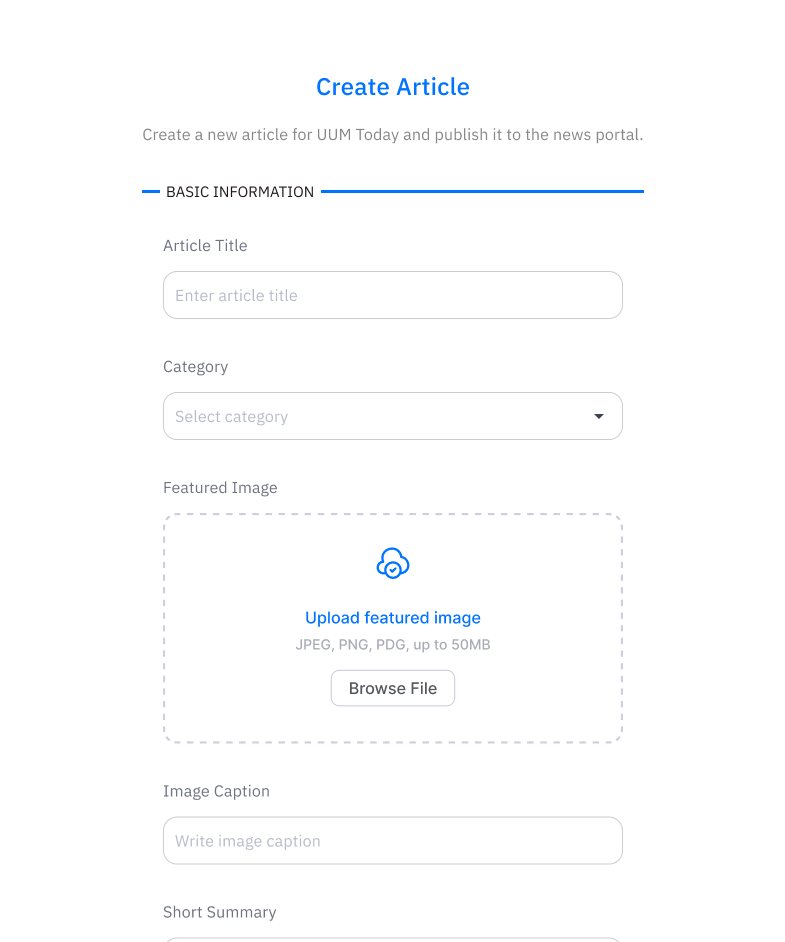
The editorial entry point: article title, category, featured image upload with caption, and summary before a draft moves into approval.
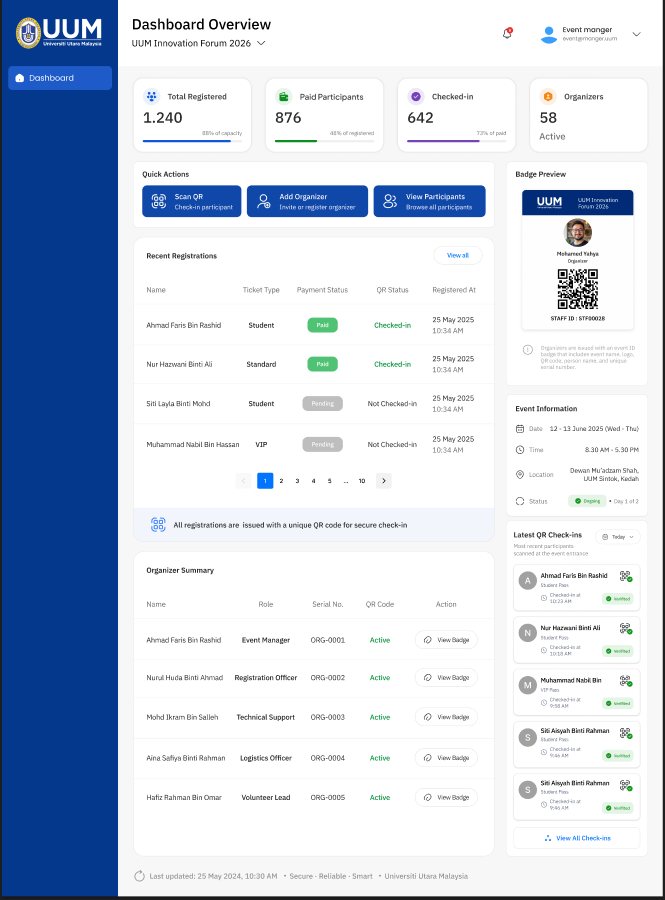
Registration totals, paid participants, live QR check-in counts, and recent registrations for an event in progress.
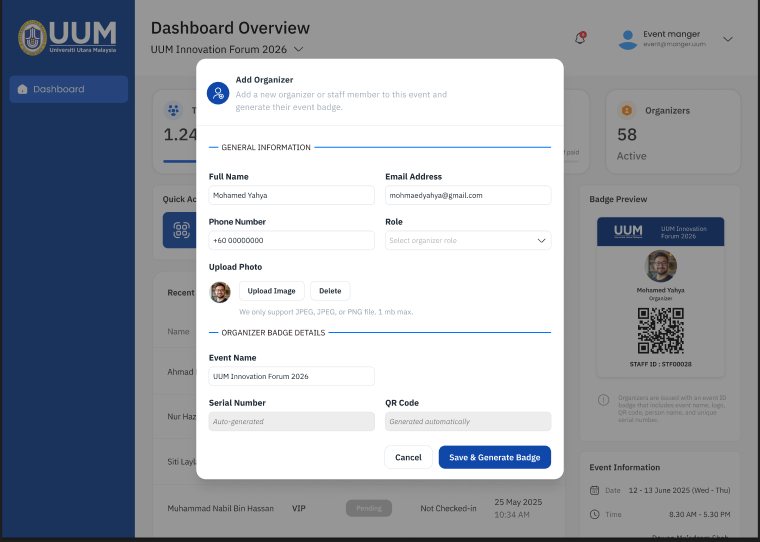
Adding a staff member, assigning their role, and generating the badge that controls what they can access.
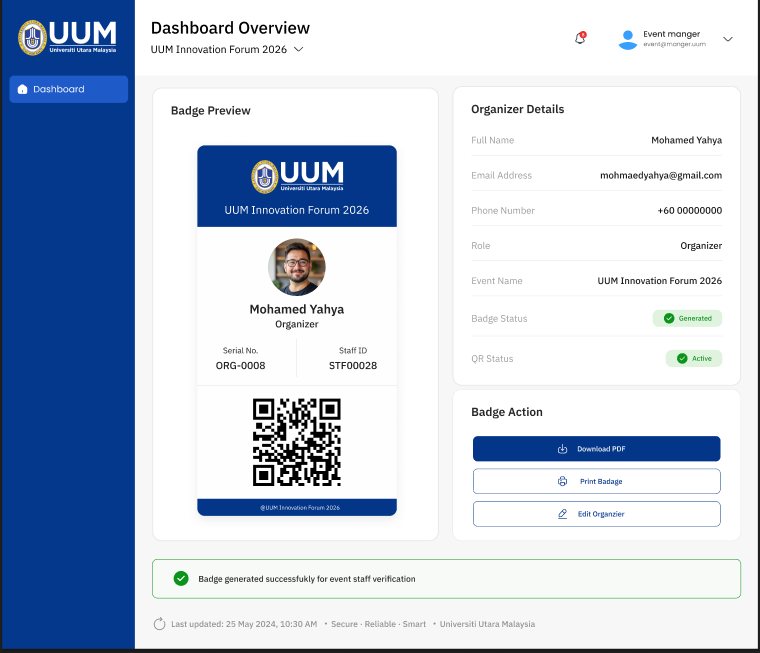
The generated badge with its QR code, serial number, and status — plus PDF download and print actions for on-site verification.